Product Tour
See Kanbanz in your WordPress admin
Real screenshots from the plugin. Pick a tab, or click an image to enlarge it.
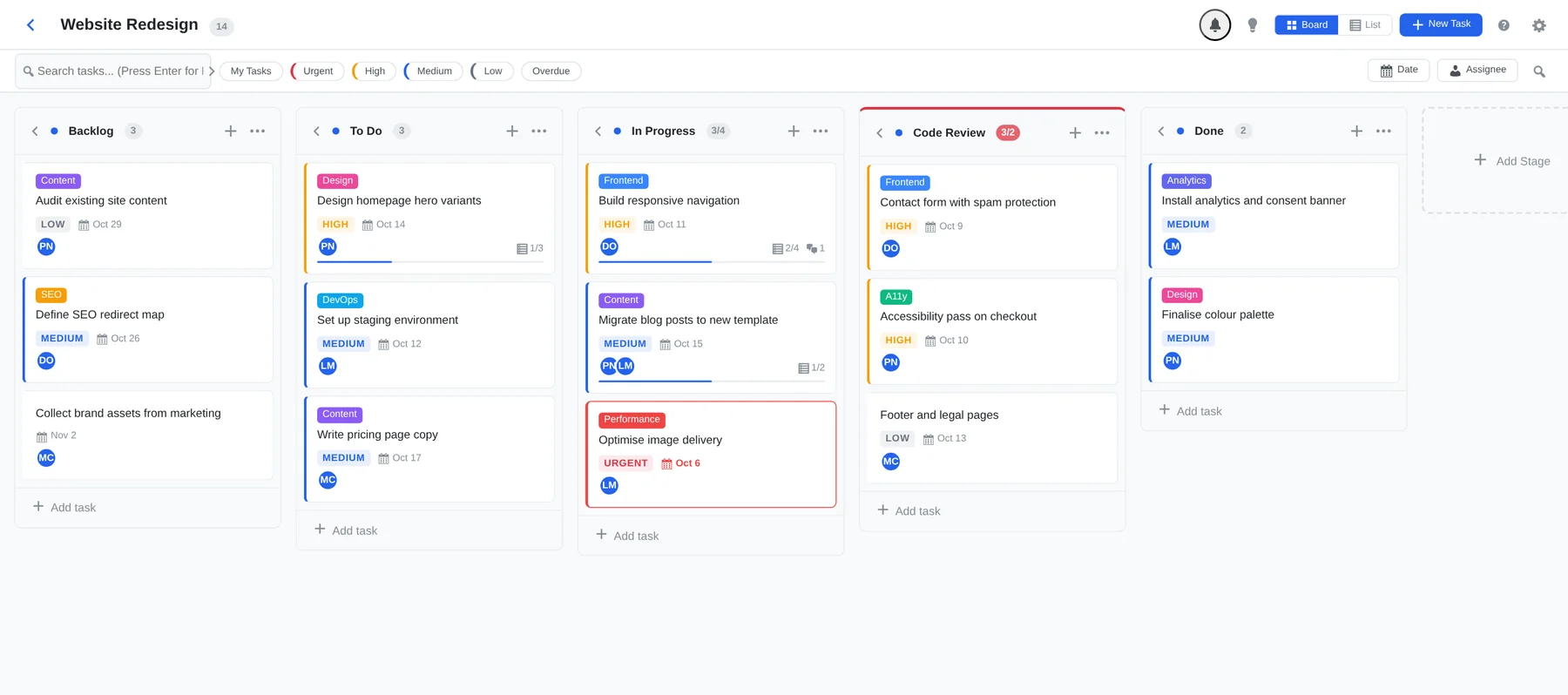
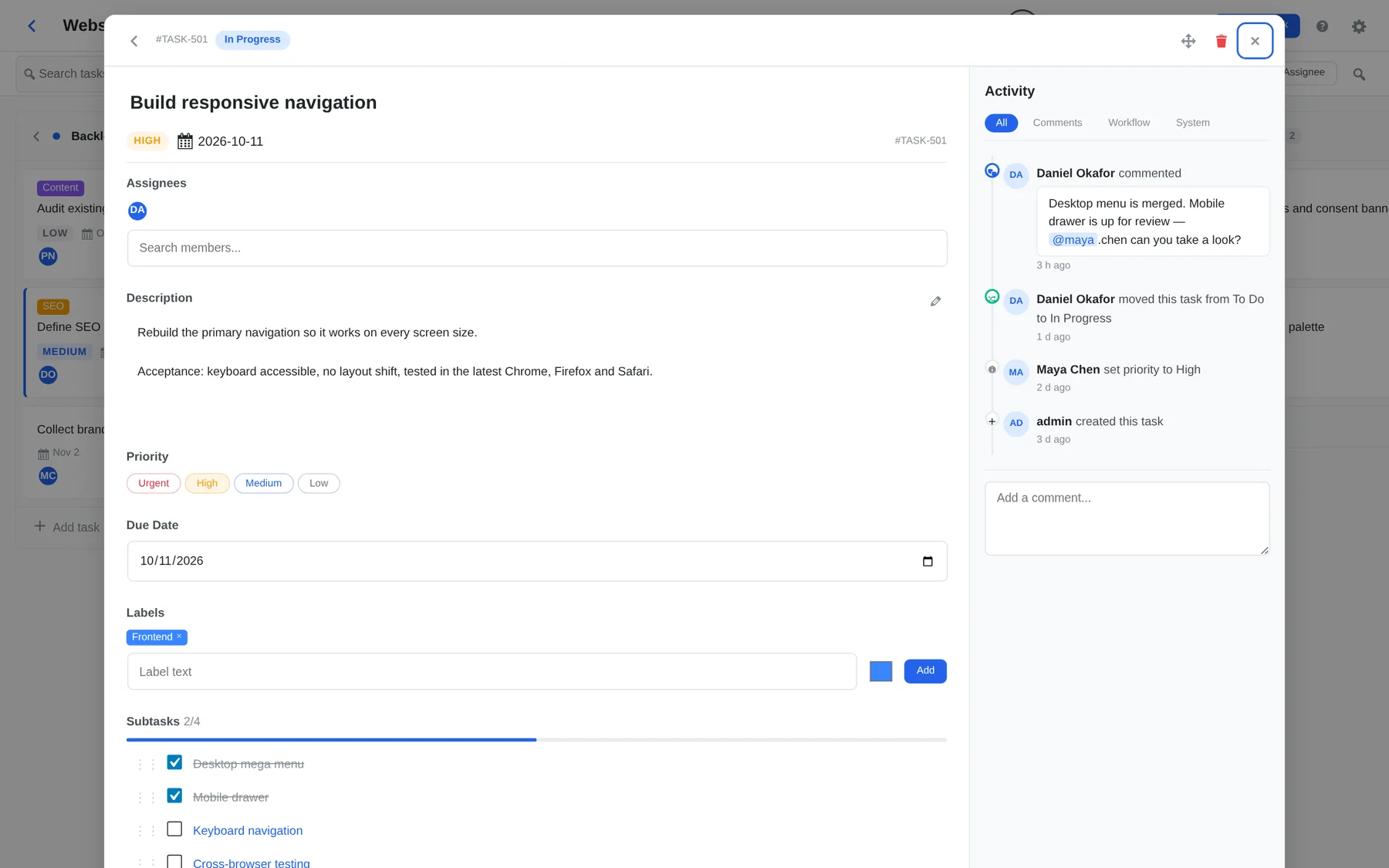
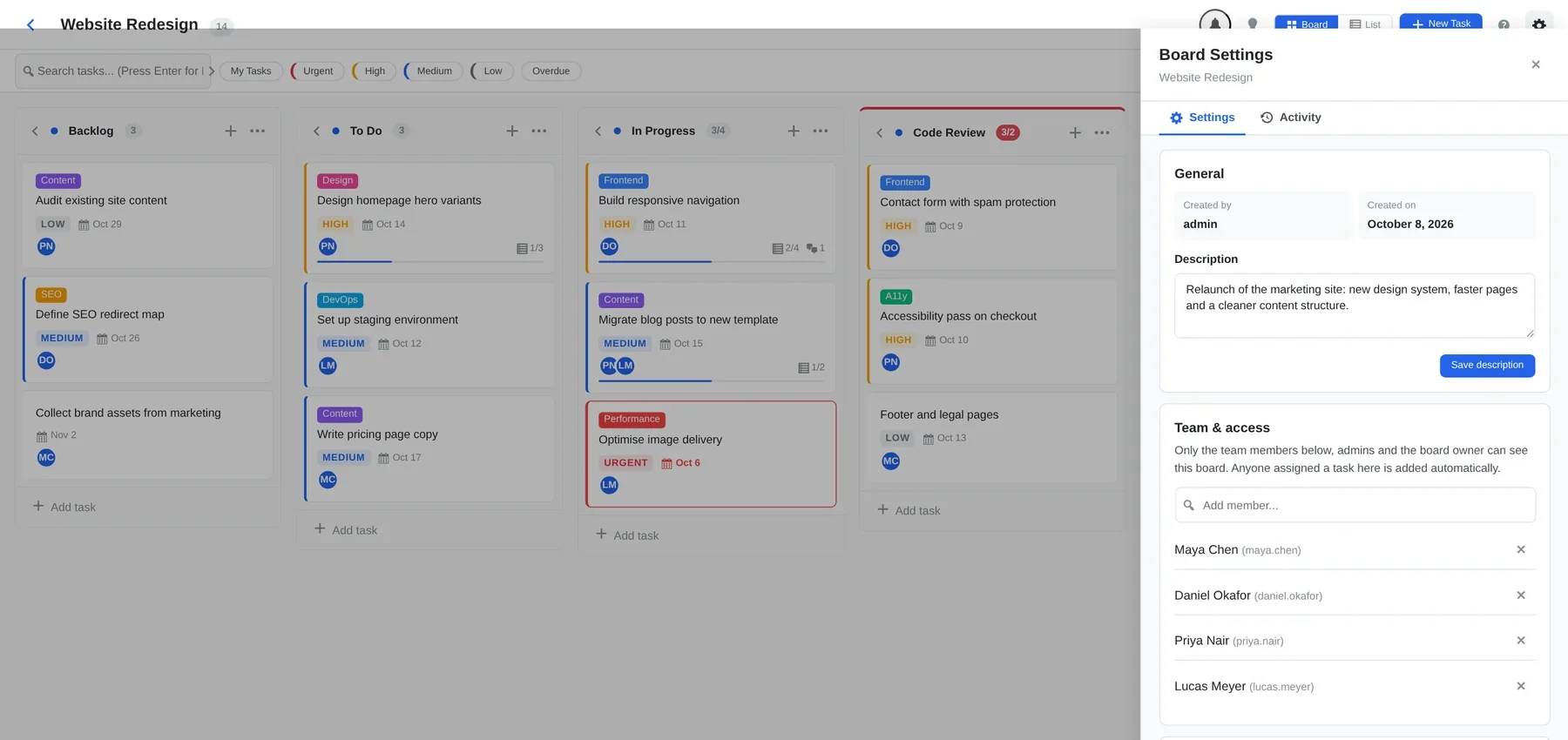
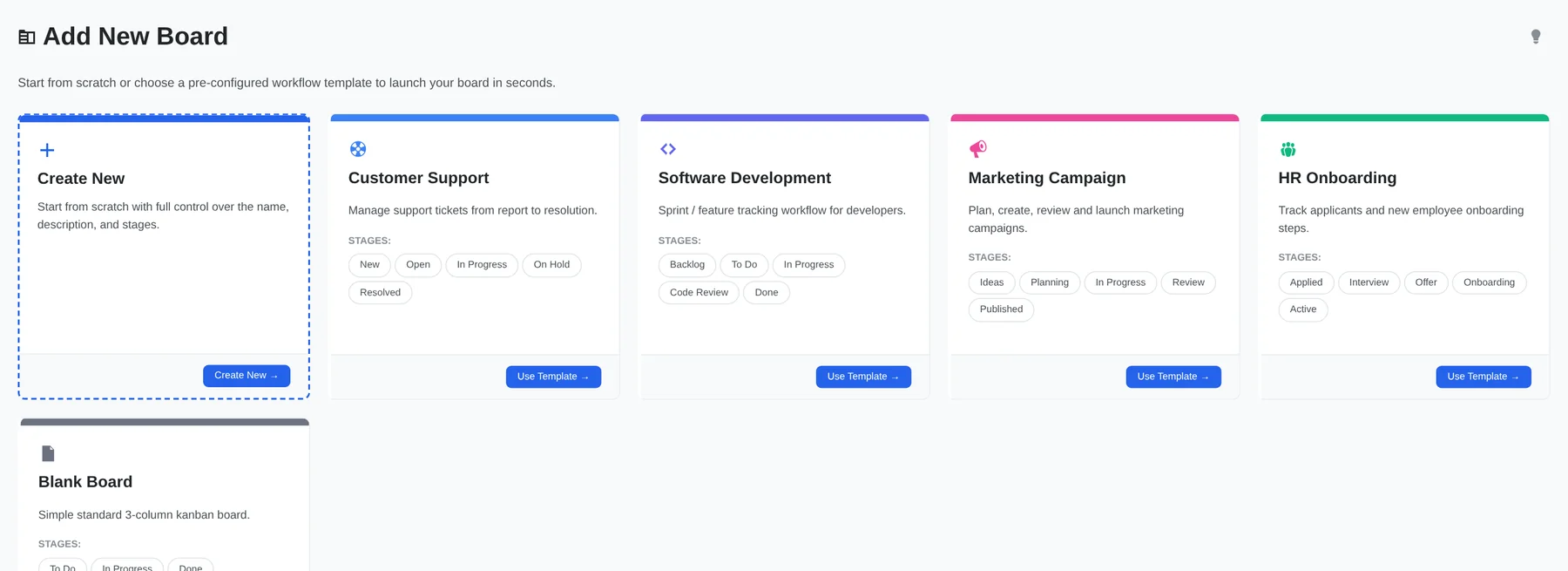
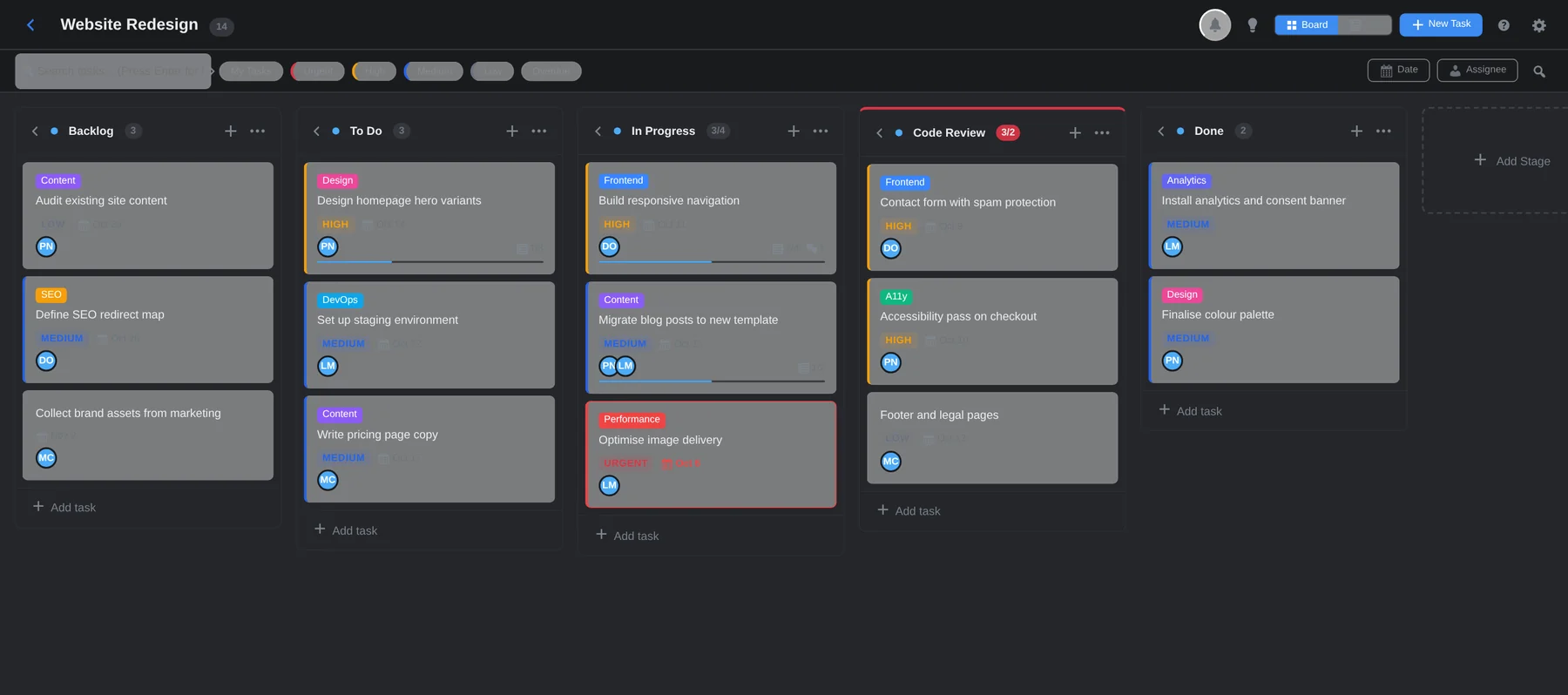
From visual task pipelines and granular permissions in Free to live time tracking and staff efficiency scoring in Pro, Kanbanz equips your team for maximum productivity.
Everything you need to create boards, organize workflows, and collaborate with your team without leaving the WordPress admin.
Smooth sortable drag-and-drop powered by jQuery UI. Easily reorder tasks within columns or move them between stages in real time.
Rename, add and reorder stages, and set Work-In-Progress limits to maintain smooth workflow cadence and prevent bottlenecks.
Select assignees from WordPress Admins, Kanban Staff/Managers, and Deskuss Staff with colored role badges for instant clarity.
Break complex cards down into actionable subtasks. Progress bars calculate completion percentages dynamically as items are checked off.
Attach screenshots, mockups, PDFs, and documents directly to tasks using the standard WordPress Media Library modal.
Designate Board Managers (Admin-only setting) and configure whether everyone, managers only, or specific staff can mark tasks as Completed.
Launch new boards instantly with ready-made templates: Customer Support, Software Development, Marketing Campaign, HR Onboarding, or a blank board.
Automatically turn Deskuss departments into boards and tickets into cards. Cards move as agents reply and tickets are resolved or closed.
Seamless theme toggle supporting automatic OS dark mode preferences with inline pre-boot scripting to prevent theme flash on load.
Kanbanz Pro unlocks deep organizational insights, automated staff scorecards, and precision time logging.
A personal command center aggregating all tasks assigned to the logged-in user. Includes a pending-task count badge in the WordPress admin menu.
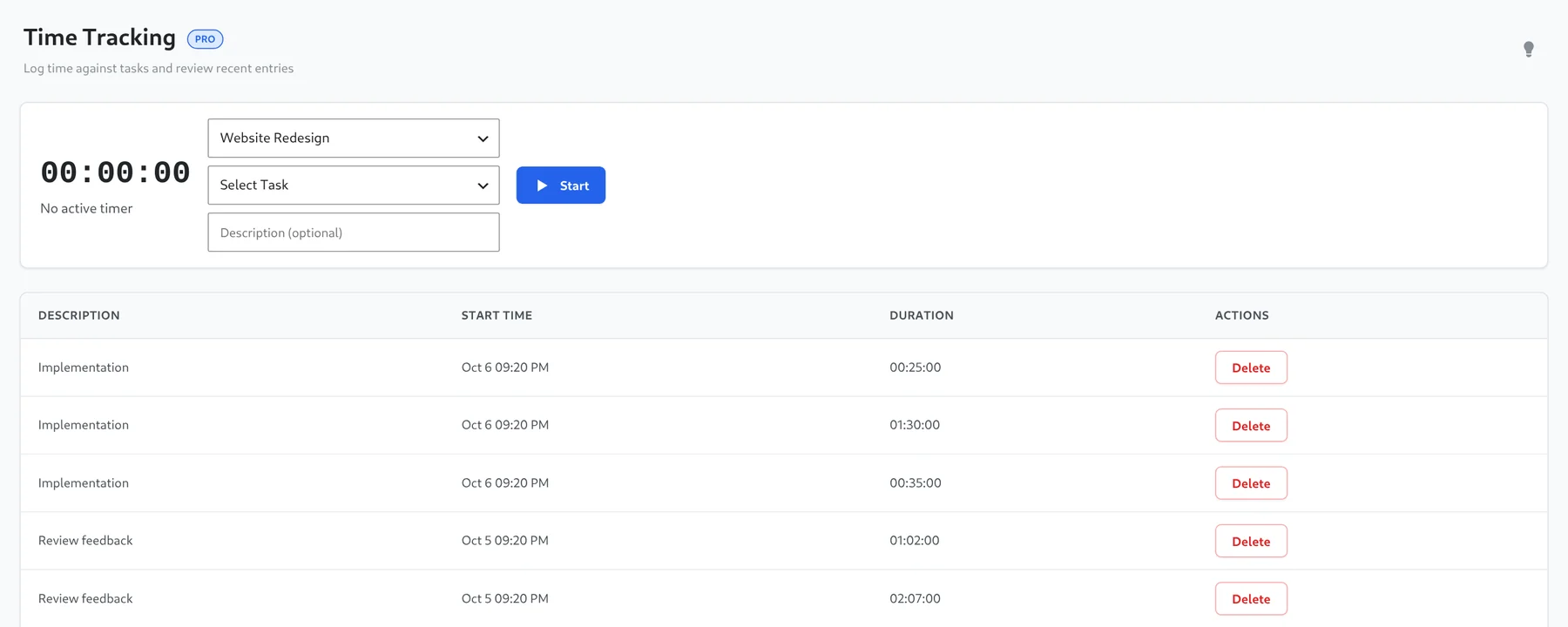
Start and stop live timers against any board task. Timers persist across browser tabs and page reloads, logging exact elapsed duration history.
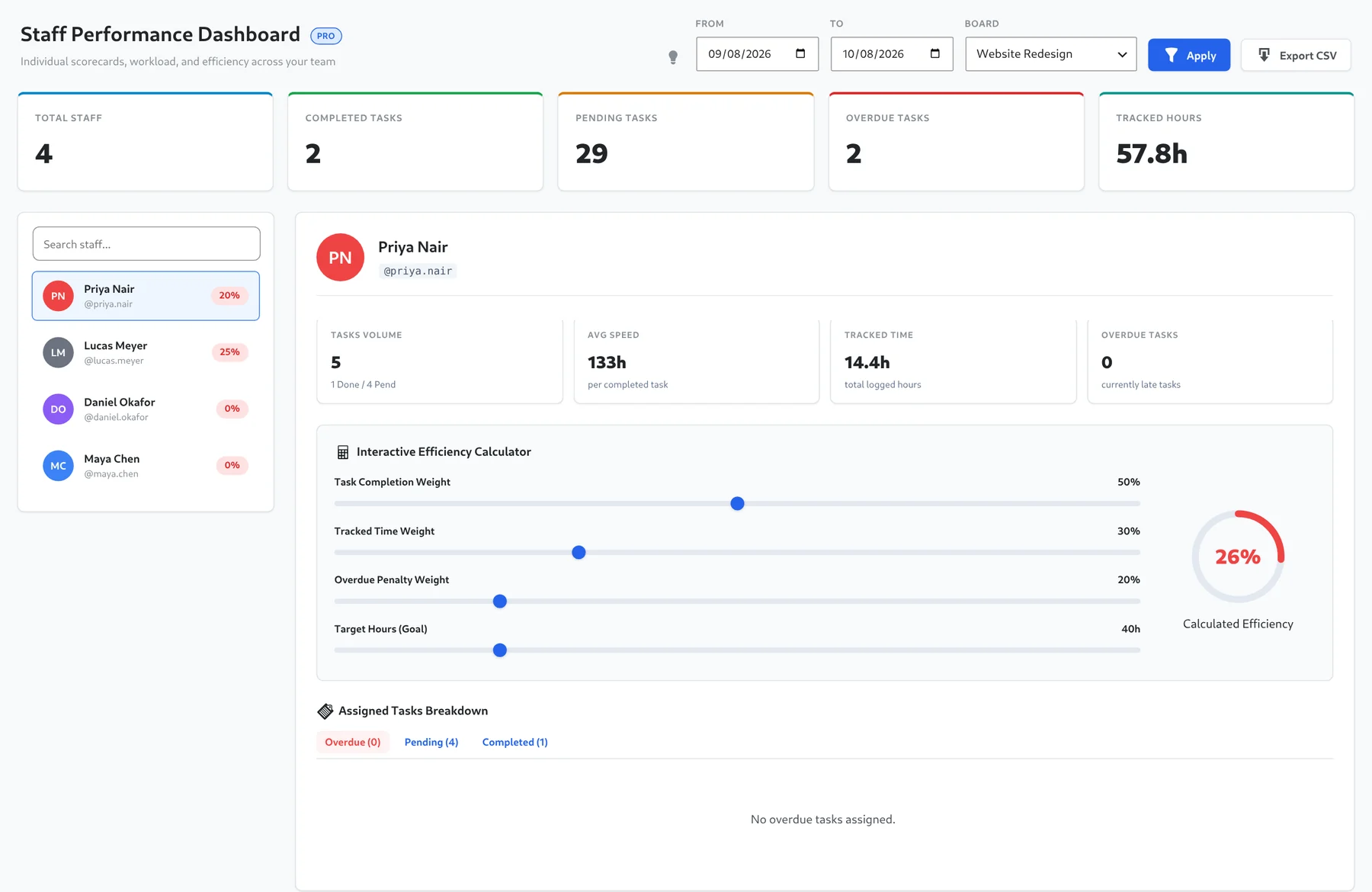
Track team workload volume, completion velocity, average turnaround speed, and overdue counts for every team member in one view.
Customize efficiency weighting (Task Completion Weight, Tracked Hours Weight, Overdue Penalty Weight) to generate accurate performance scores.
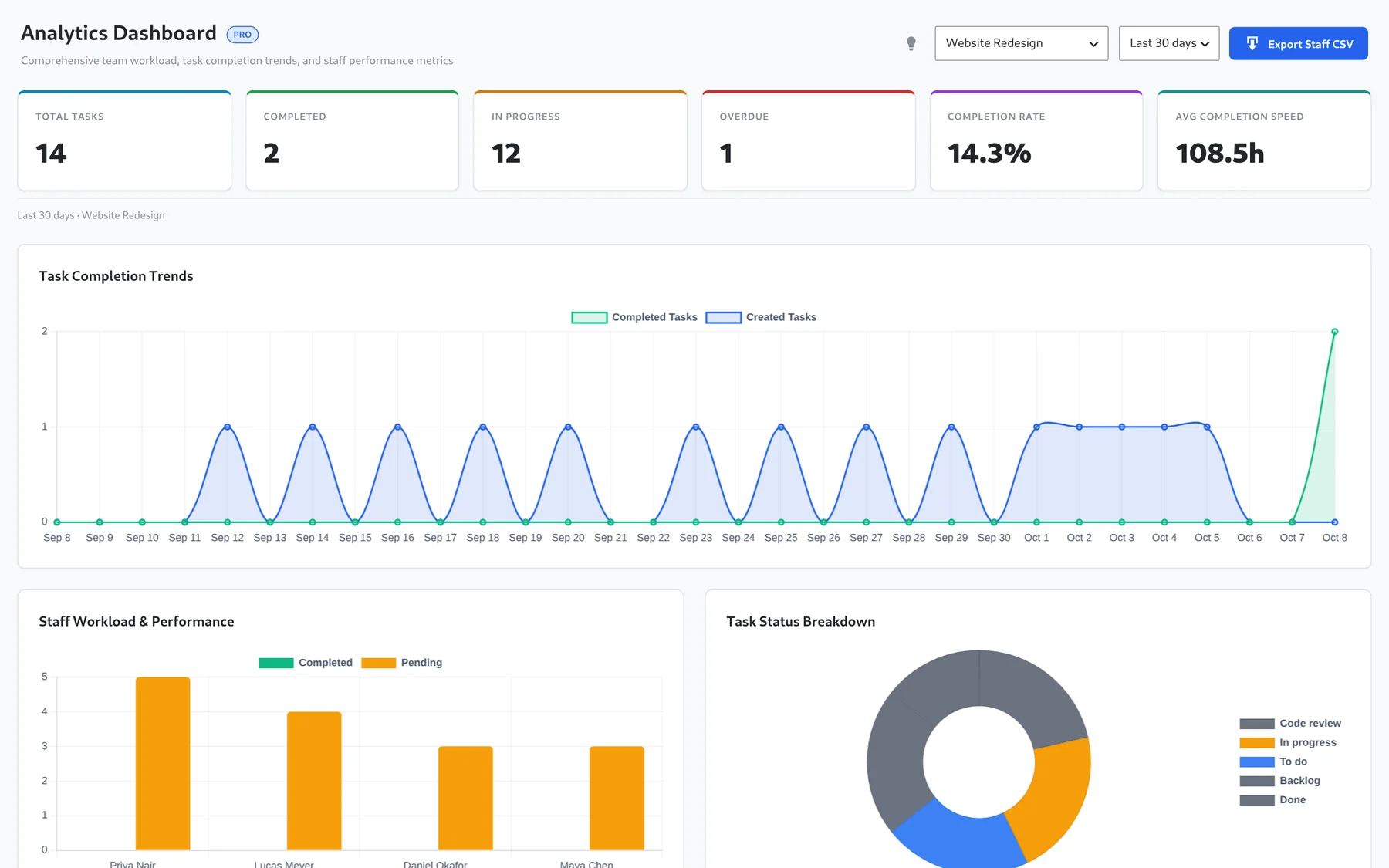
Evaluate sprint progress with Chart.js powered visual charts comparing created vs completed task rates and estimated completion burndown.
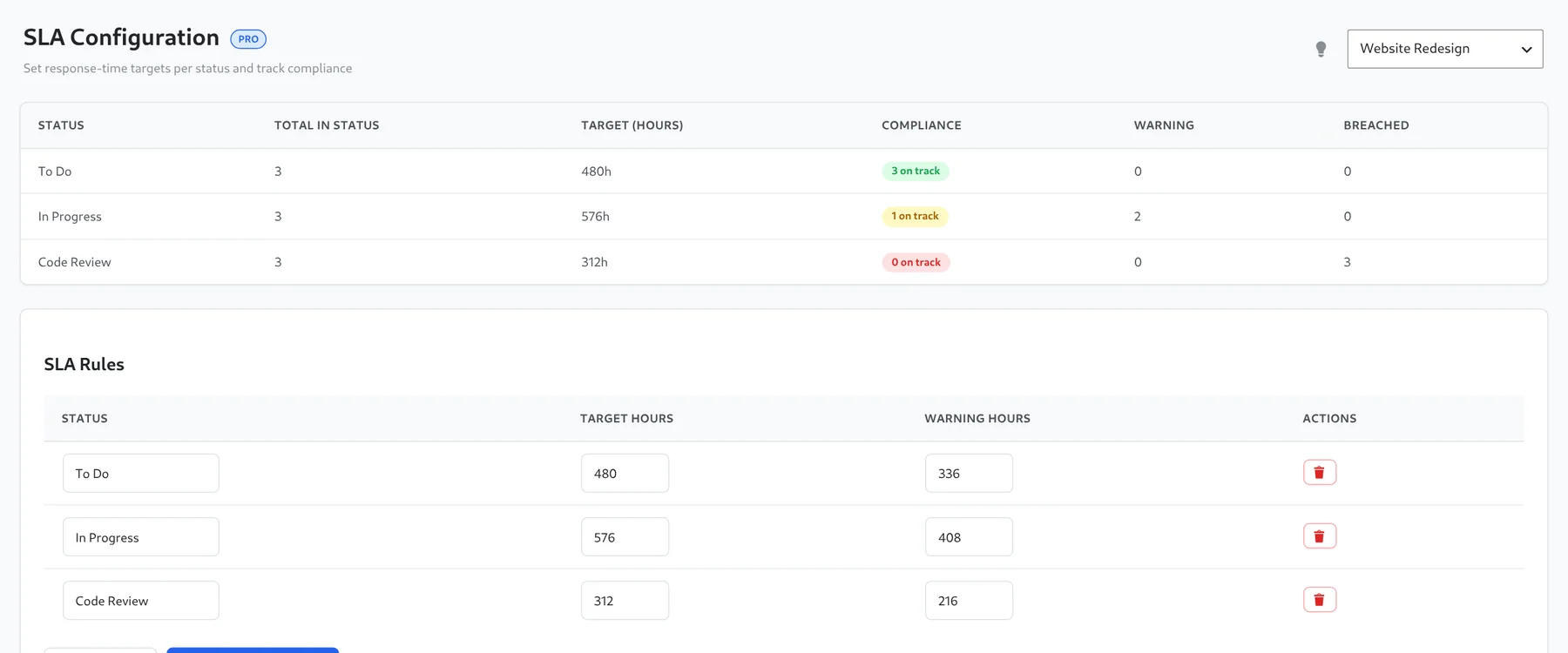
Set stage-specific SLA targets and warning hours. A compliance report shows which tasks are on track, at warning, or breached.
Real screenshots from the plugin. Pick a tab, or click an image to enlarge it.
Analytics, scorecards, time tracking and SLA reports, built on the same boards.