Kanbanz Documentation
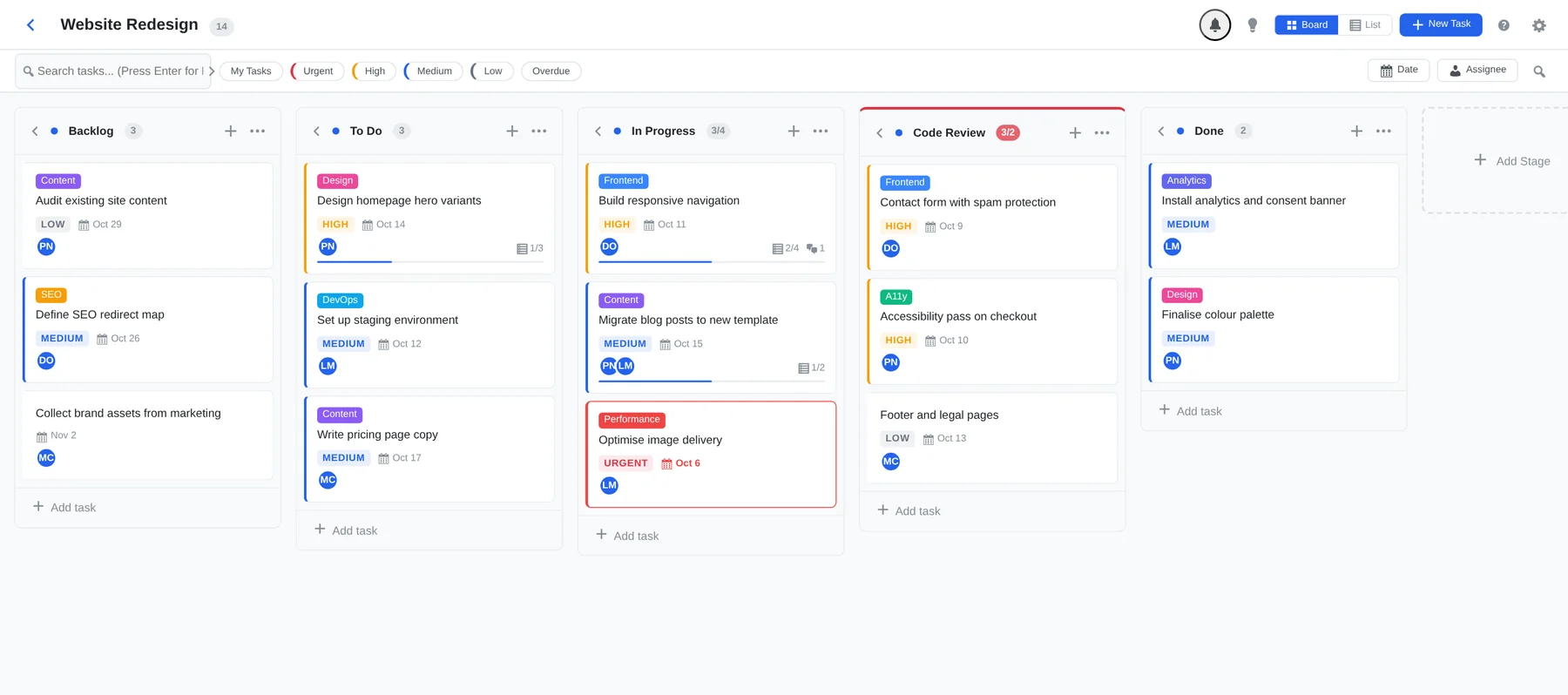
Visual kanban boards inside the WordPress admin. This guide covers Kanbanz 1.0.1 and Kanbanz Pro 1.0.0.
Boards and tasks are stored in your own WordPress database. The free plugin makes no external requests and loads nothing on your public site.
Private boards, board managers, and rules for who can complete work, all on top of two simple roles.
My Tasks, time tracking, analytics, staff scorecards, SLA rules and CSV exports.
Start here
Installing Kanbanz →
Install the free plugin from the dashboard or by uploading the zip, then activate it.
Installing Kanbanz Pro →
Download Pro from the Client Center, install it and activate your license.
Create Your First Board →
Pick a template, set the stages, choose who sees it and add your first task.
Tasks & Subtasks →
Everything inside a task, plus bulk actions and keyboard shortcuts.
Kanbanz Pro Overview →
What Pro adds and where to find each screen.
Kanbanz Free
Everything below is included in the free plugin.
- Boards & Columns: templates, stages, WIP limits, board and list views.
- Tasks & Subtasks: creating, editing, bulk actions and shortcuts.
- Search & Filters: find work by text, assignee, priority, date and overdue state.
- Roles & Capabilities, Board Managers & Access and Task Completion: who can see, change and finish work.
- Notifications and Settings.
- Deskuss Integration: optional helpdesk sync.
Kanbanz Pro
- Overview, My Tasks, Time Tracking
- Team & Board Analytics, Employee Performance, SLA Configuration
- Exports & Reports, License & Upgrade