My Tasks PRO
One personal inbox for everything assigned to you, across every board you can access.
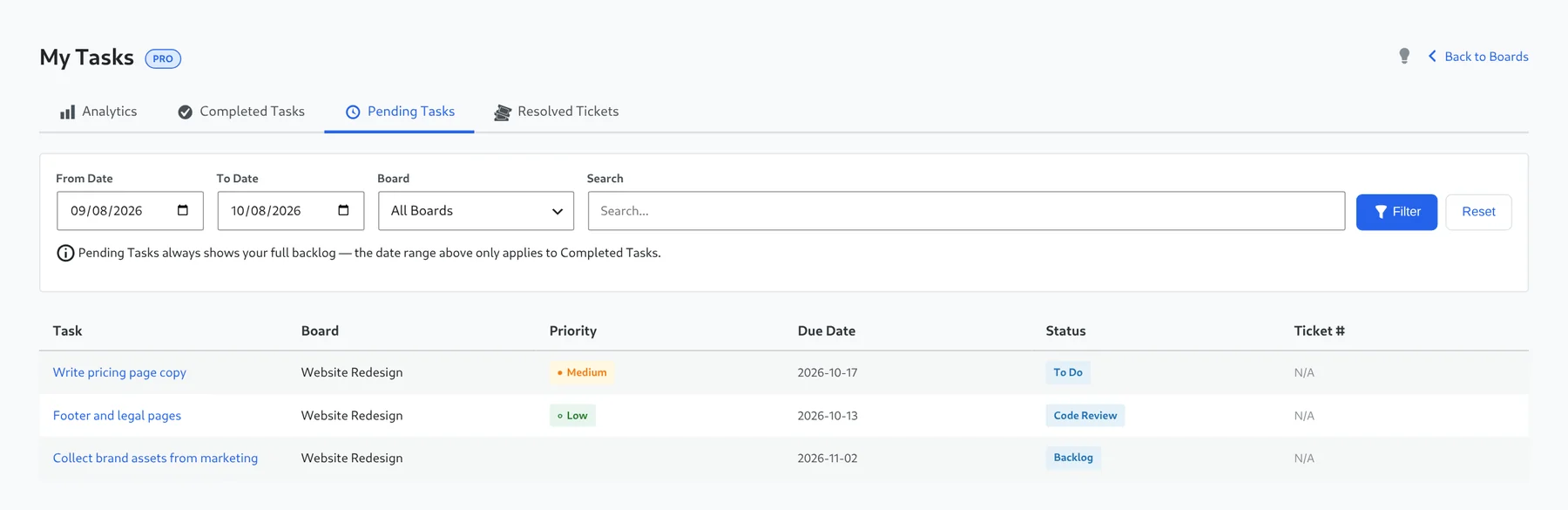
My Tasks provides a personal cross-board task inbox. It has separate Analytics, Completed Tasks and Pending Tasks tabs, date filters, search, reset controls, board filters and date ranges such as 7D, 14D, 30D and 90D. It also includes personal and team analytics scopes and CSV export controls.
Tabs
| Tab | Shows |
|---|---|
| Analytics | Summary cards and charts for your work, or for the team. See below. |
| Completed Tasks | Tasks you finished in the selected date range. |
| Pending Tasks | Your full open backlog: task, board, priority, due date, status and ticket number. |
| Resolved Tickets | Resolved helpdesk tickets, when Deskuss is active. |
Click a task to open it. If a task is on a board that has not been shared with you, Kanbanz tells you instead of opening it.
Filters
- From Date / To Date and the presets 7D, 14D, 30D, 90D.
- Board: All Boards or a single board.
- Search by keyword.
- Filter applies your choices and Reset clears them.
Pending Tasks always shows your full backlog. The date range only applies to Completed Tasks and the Analytics charts.
Personal and team analytics
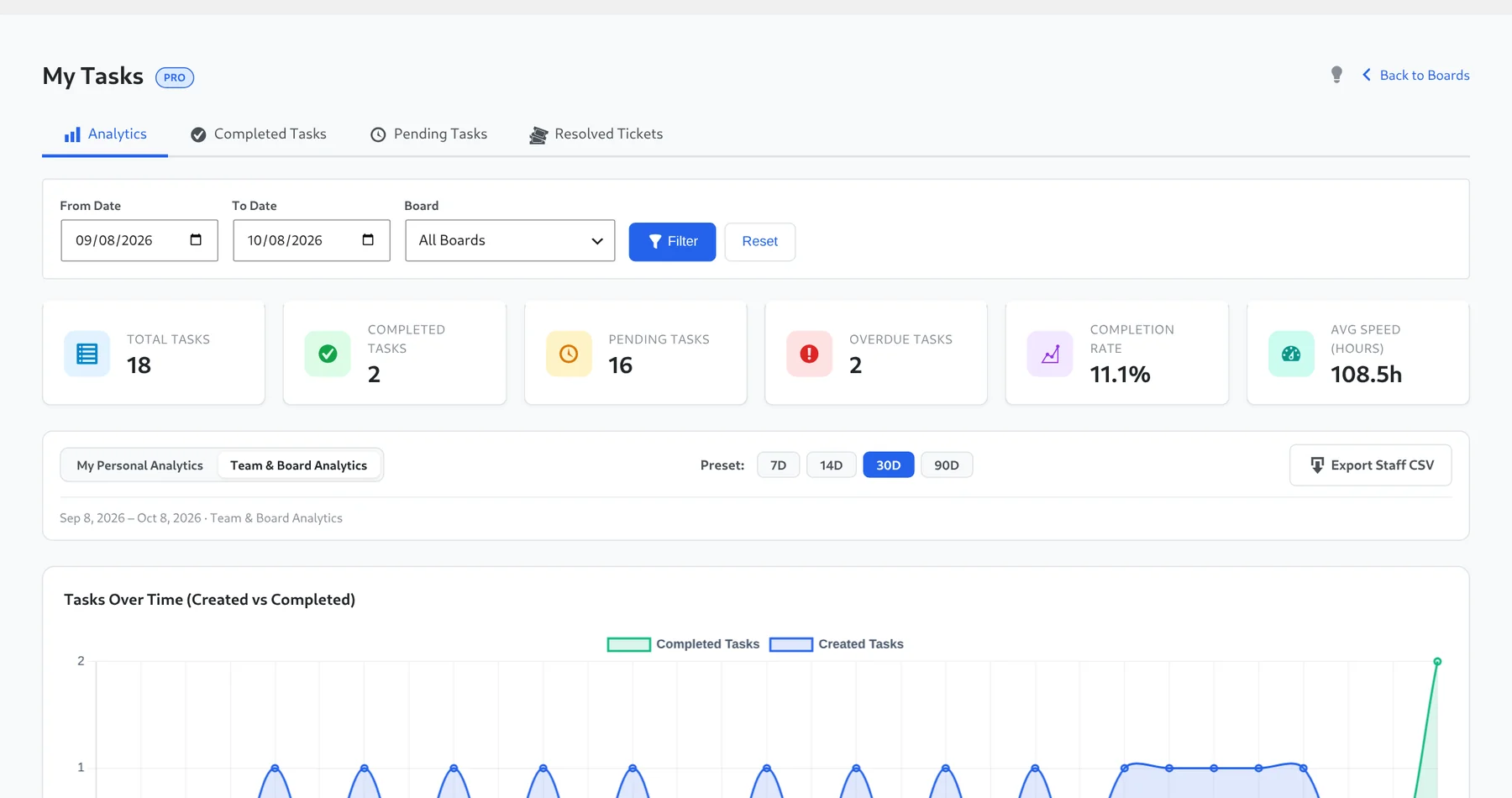
- My Personal Analytics covers tasks assigned to you.
- Team & Board Analytics covers the boards you can access, with a sortable staff workload table.
- Summary cards: Total Tasks, Completed Tasks, Pending Tasks, Overdue Tasks, Completion Rate and Avg Speed (hours).
- Charts: Tasks Over Time (Created vs Completed), Staff Workload & Performance, Task Status Breakdown and Task Priority Distribution.
- Export Staff CSV downloads the staff table. See Exports & Reports.
The pending count badge
The number next to My Tasks in the admin menu is your count of pending tasks, so you can see your workload without opening the page.