SLA Configuration PRO
Set time targets per stage and see which tasks are slipping.
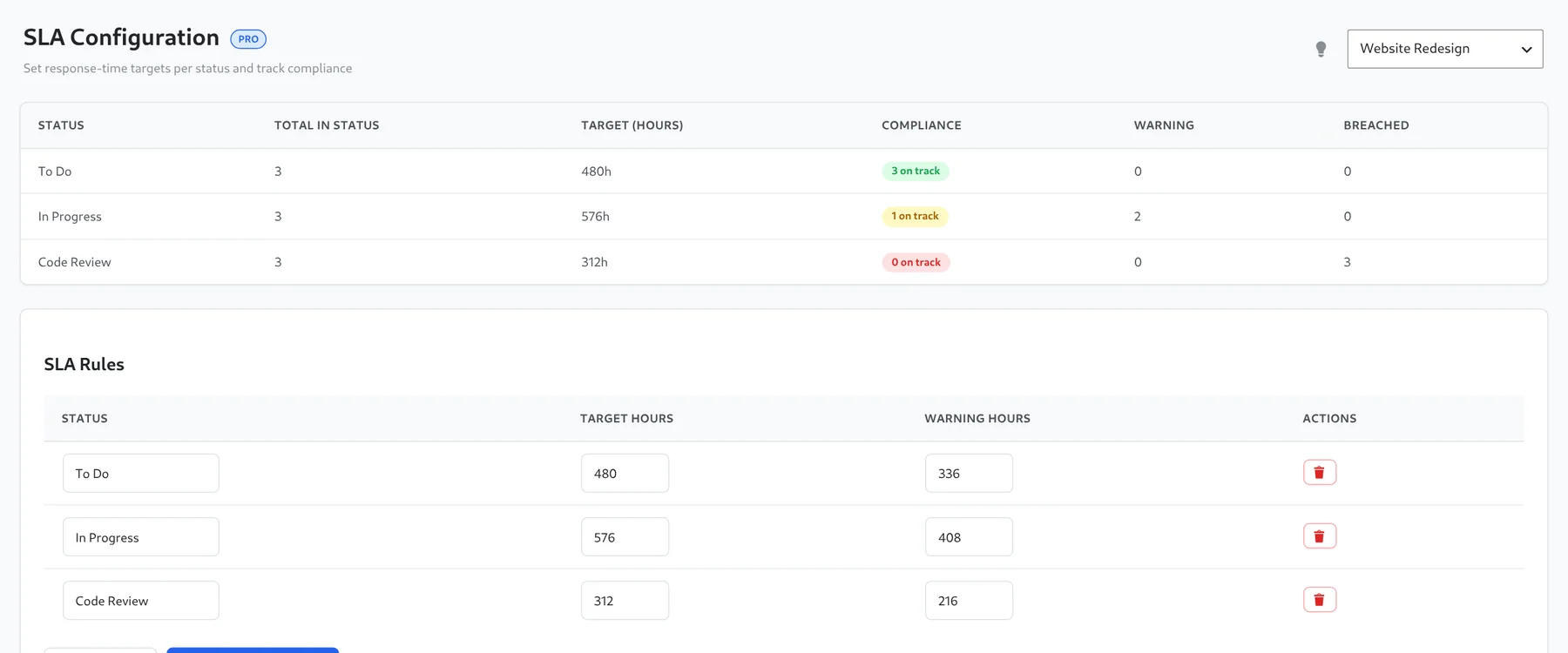
Pro includes SLA rules for board statuses. Each rule stores a status name together with target hours and warning hours. SLA configuration is restricted to administrators. Open Kanbanz → SLA Config.
Set up rules
- Choose a board from the dropdown at the top right.
- In SLA Rules, click Add Rule. Enter the status (the stage name), the target hours and the warning hours.
- Click Save Configuration. Use the trash icon to remove a rule.
Reading the compliance table
| Column | Meaning |
|---|---|
| Total in Status | Tasks currently in that stage. |
| Target (hours) | The rule's target. |
| Compliance | Tasks still on track. |
| Warning | Tasks older than the warning hours but within the target. |
| Breached | Tasks older than the target hours. |
How age is measured: a task's age is counted from when it was created, not from when it entered its current stage. The result is shown on this page, not on board cards.
Tips
- Make the stage name match the board's stage exactly.
- Set warning hours at roughly 70–75% of the target.
- Start with one rule for the stage where work tends to stall, such as Code Review or Awaiting Customer.