Kanbanz Pro Overview PRO
Kanbanz Pro is an add-on for the free plugin. It adds personal task views, time tracking and reporting on top of your existing boards.
What you get
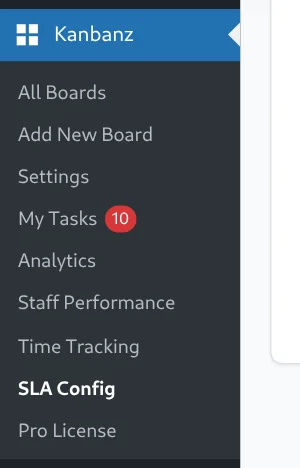
| Feature | Menu item | Who sees it |
|---|---|---|
| My Tasks | Kanbanz → My Tasks | Staff and above |
| Time Tracking | Kanbanz → Time Tracking | Staff and above |
| Team & Board Analytics | Kanbanz → Analytics | Staff and above |
| Employee Performance | Kanbanz → Staff Performance | Staff and above |
| SLA Configuration | Kanbanz → SLA Config | Administrators |
| Exports & Reports | On Analytics, My Tasks and Staff Performance | Staff and above |
| License & Upgrade | Kanbanz → Pro License | Administrators |
Requirements
- The free Kanbanz plugin must be installed and active. Without it, Pro only shows an admin notice.
- Install and activate Pro as described in Installing Kanbanz Pro.
How Pro fits together
- Pro reads your existing boards, tasks and assignees. It does not create new boards or change how the free plugin works.
- Reports respect board access. People only see data for boards they can open.
- The last column of a board is treated as “completed” by completion counts, speed metrics and the burndown chart. See Boards & Columns.
- Time entries recorded in Time Tracking feed the tracked-hours figures in Analytics and Employee Performance.
A typical rhythm
- Daily: staff check My Tasks and start a timer from Time Tracking.
- Weekly: managers review Analytics and Employee Performance.
- Per board: administrators set SLA rules and export reports.