Time Tracking PRO
Measure how much working time goes into each task.
Pro includes stopwatch-based time tracking. A running timer is associated with a task and a user, and time entries are stored against the task. Use it to measure how much working time is spent on tasks and to support reporting.
Typical workflow
- Open Kanbanz → Time Tracking. Choose a board and then a task. Add an optional description, such as “Hero layout options”.
- Click Start. The clock begins counting in
HH:MM:SS.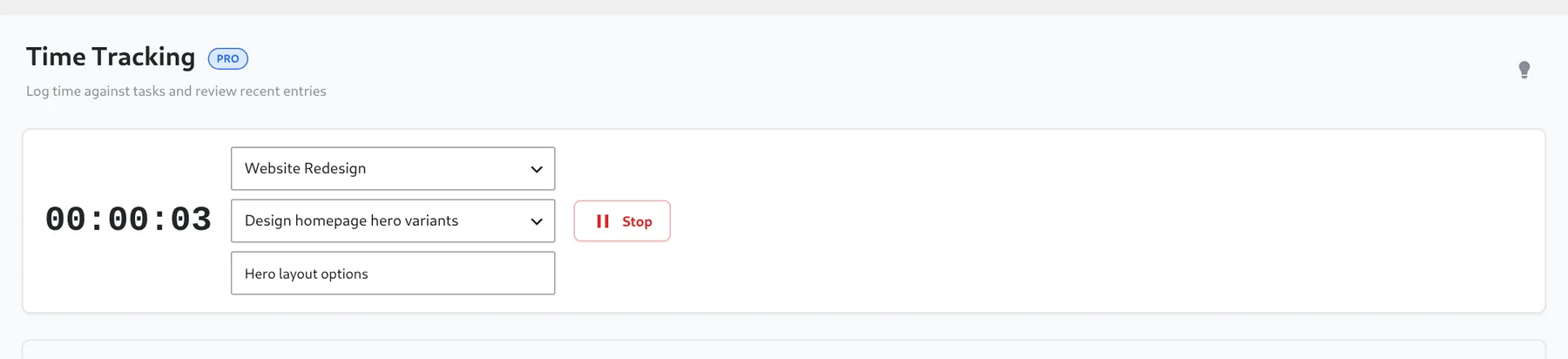
A timer running on a task. - Work on the task. You can close the tab or reload the page: the timer is stored on the server, not in the browser, so it keeps running.
- Click Stop. The entry is saved with its start time and duration.
- Review recorded time in the entries list, and in Analytics and Employee Performance.
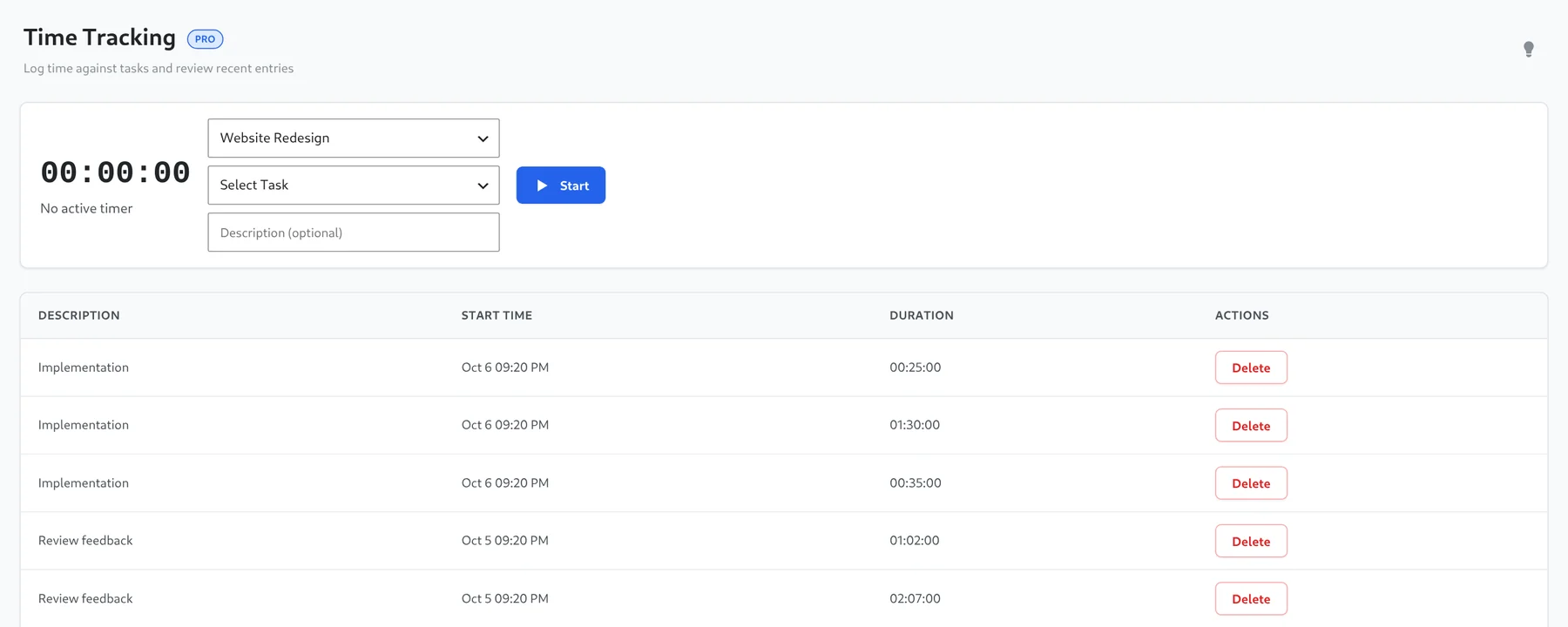
Recent entries show the description, start time and duration.
Good to know
- You can run one timer at a time. Starting a new one stops the running one first.
- Entries have a Delete button if you logged the wrong task.
- Each task keeps its most recent 200 entries.
- Tracked hours appear per person in the staff reports, and feed the efficiency score in Employee Performance.