Deskuss Integration
Optional. When the Deskuss helpdesk plugin is active, Kanbanz turns departments into boards and tickets into tasks.
Deskuss is never required. When Deskuss isn't active, none of the integration code loads, and the Deskuss settings and buttons are hidden.
What syncs
Sync runs from Deskuss to Kanbanz. Deskuss events update boards and tasks:
| In Deskuss | In Kanbanz |
|---|---|
| Department created or updated | A board is created or updated for it. The department's staff become the board team. |
| Department deleted | The linked board is trashed, or its tasks are moved first (see below). |
| Ticket created | A task is created on the department's board and linked to the ticket number. |
| Ticket assigned / unassigned | The task's assignees are updated. |
| Agent replies | The task moves to the “In Progress” column. |
| Customer replies | The task moves back to the “Open” column. |
| Ticket resolved or closed | The task moves to the Resolved or Closed column. |
Moving a card in Kanbanz does not change the ticket's status in Deskuss.
Settings → Deskuss Integration
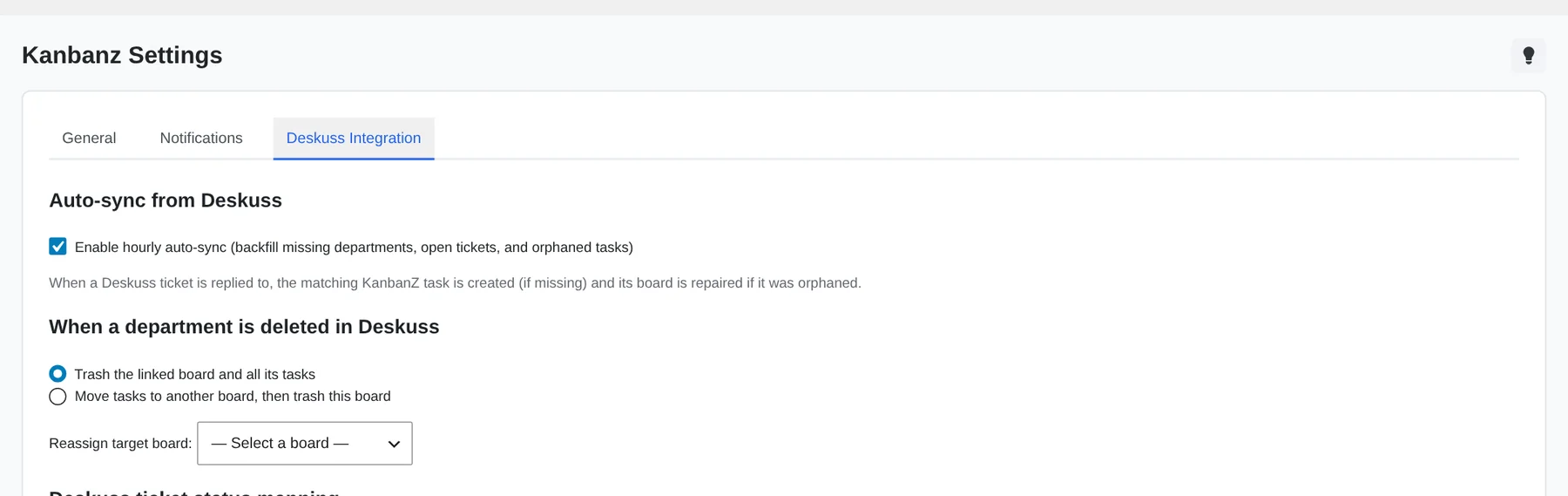
- Auto-sync from Deskuss: turns on the hourly background sync (on by default). See Cron Jobs & Sync.
- When a department is deleted in Deskuss, choose one of:
- Trash the linked board and all its tasks.
- Move the tasks to another board, then trash the linked board.
- Deskuss ticket status mapping: for each board, choose which column matches each ticket state: Open / New, In Progress, Resolved and Closed. Leave a field on Auto to let Kanbanz match columns by name, then by position.
- Manual sync: Run Sync Now runs a full sync right away. The time and results of the last sync are shown under the button.
Department boards
On the board list, administrators get a Sync Departments button that creates boards for any departments that don't have one yet.

- A board linked to a department shows the ticket number on each task card.
- Department boards can't be deleted from the board. Delete the department in Deskuss instead.
- Administrators can link or unlink a board in Board Settings → Board managers → Linked department.
- The department's manager appears on the board as a Dept Manager.