Board Managers & Access
Decide who can see a board, and who looks after it.
Open boards and private boards
A board can be open to all Kanbanz users or restricted to selected team members. Once a board has team members, it becomes private to that team, with administrator and creator access rules on top. Assigning a task on a team board can also add the assignee to the team.
| Board state | Who can see it |
|---|---|
| No team members | Every Kanbanz user (Staff, Managers and Administrators). |
| Has team members | The team, Administrators and the board's creator. Managers also see boards of Deskuss departments they manage. |
People who are assigned a task can always open that task, even if they are not on the board's team (for example from My Tasks in Pro).
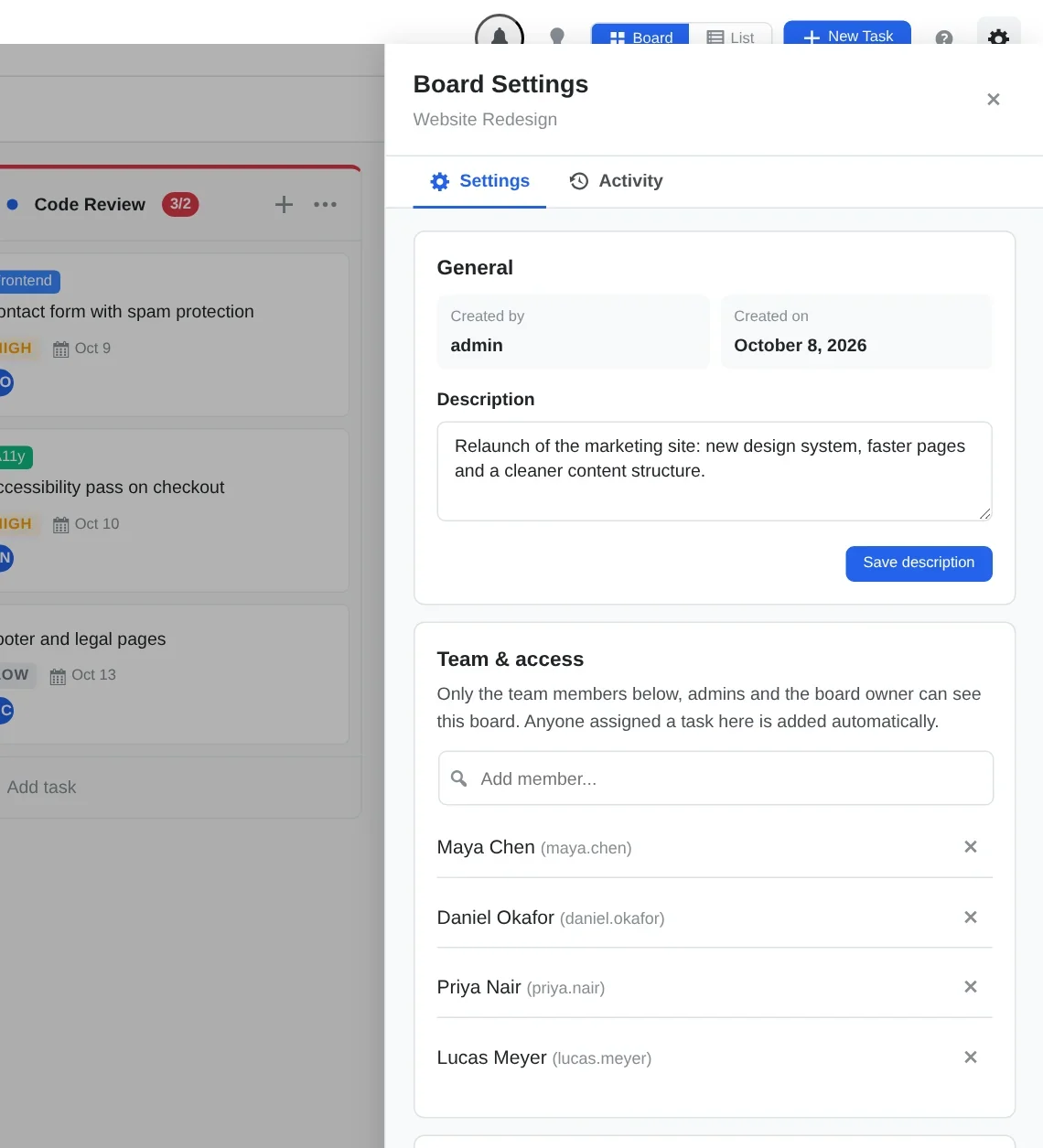
Team & access
Open the board and click the gear icon to open Board Settings. In Team & access:
- Type in Add member… to add someone.
- Click × next to a name to remove them.
- Remove everyone and the board is open to all staff again.
Board managers
Board managers have full control of the board, including completing tasks. The Board managers card lists everyone who qualifies:
- All site Administrators.
- The Dept Manager of the linked Deskuss department, if any.
- The Board Lead, the board's assigned owner.
- Anyone you assign as a Manager.
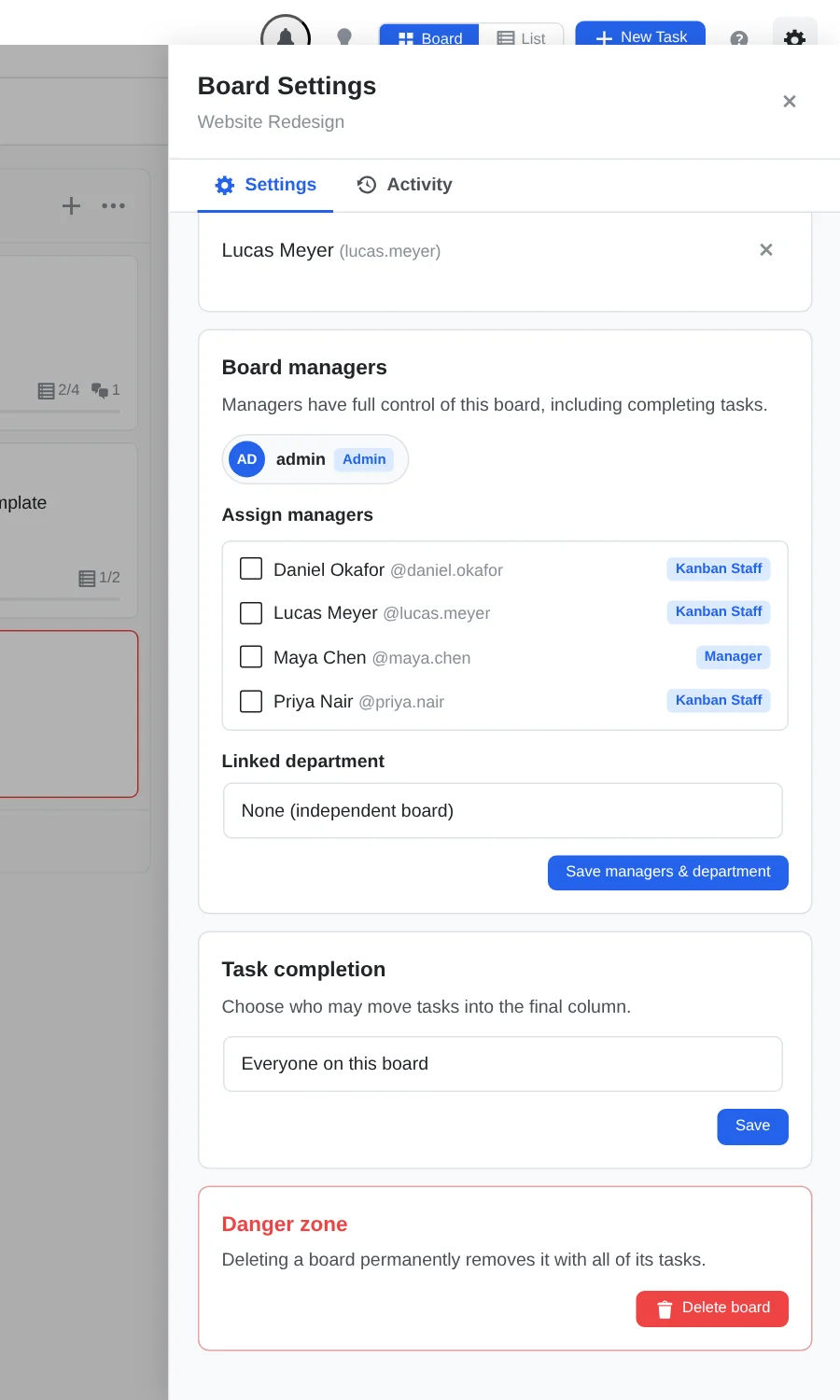
Only Administrators can change the assigned managers (and the linked department). Other users see the list as read-only.
Good practice
- Keep general boards open, and make client or HR boards team-only.
- Name one or two board managers per board so there is always someone who can unblock work.
- Pair team-only boards with Task Completion rules for sign-off.