Installing Kanbanz
The core features of Kanbanz come from the free plugin. You can install it in two ways.
Requirements
- WordPress 5.9 or newer. Tested up to 7.1.
- PHP 7.4 or newer.
- An Administrator account to install the plugin and create the first board.
Kanbanz uses jQuery UI Sortable and the Media Library, which are bundled with WordPress. Nothing else is needed.
Method 1: From the WordPress dashboard
- Go to Dashboard → Plugins → Add New.
- Search for Kanbanz and find it in the results.
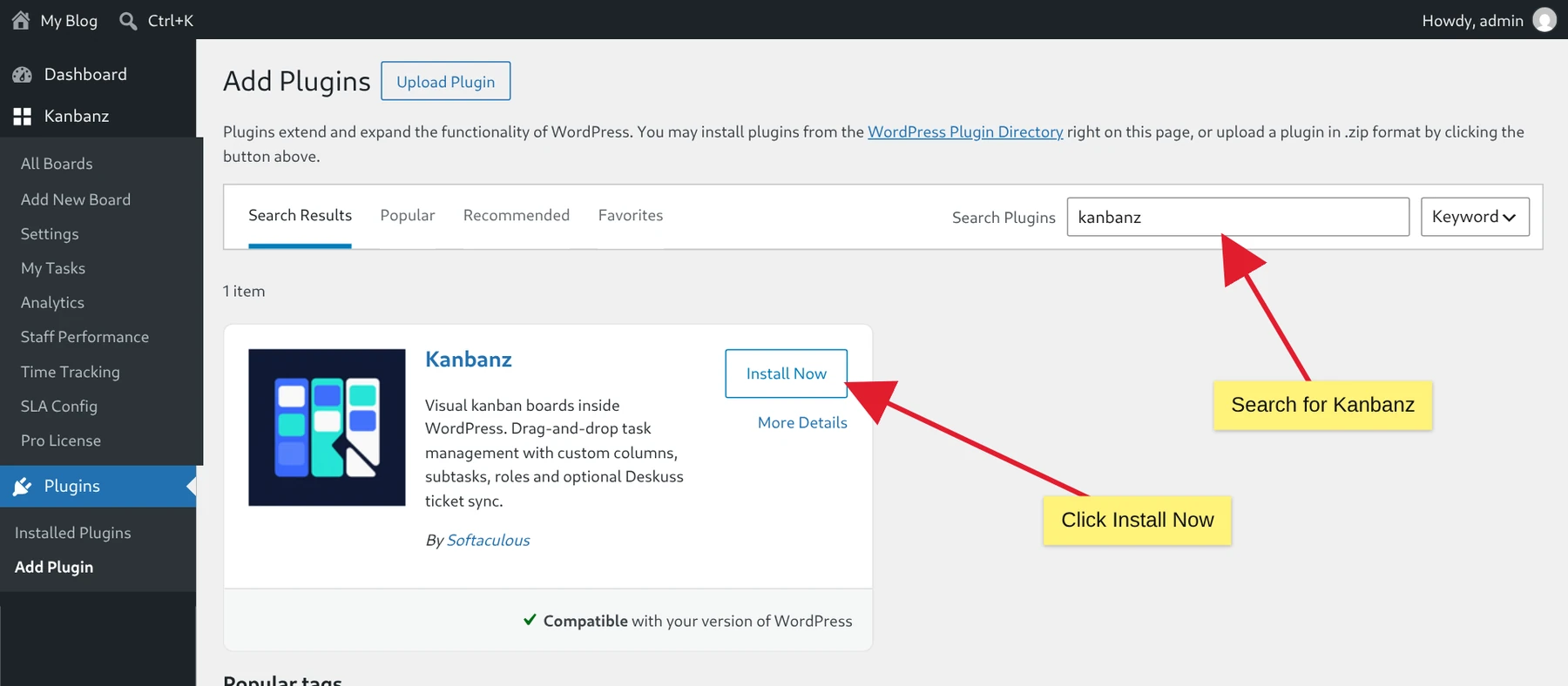
Search for Kanbanz and click Install Now. - Click Install Now, and then Activate when the installation finishes.
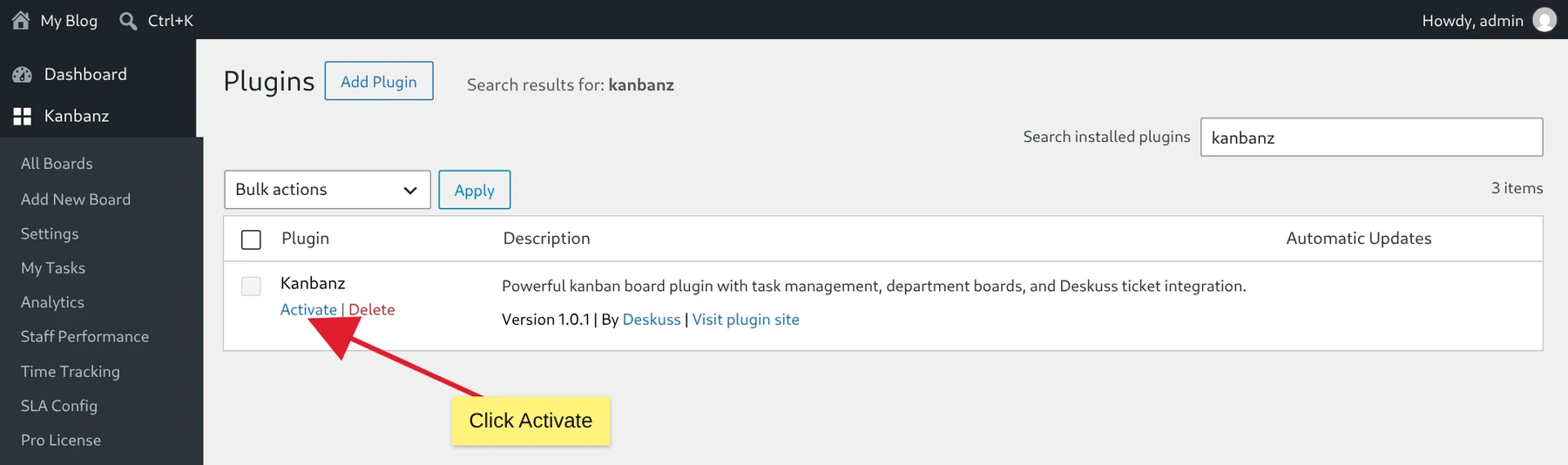
Click Activate.
Method 2: From the Kanbanz website
- Download the free plugin zip file,
kanbanz.zip, from the Kanbanz page on WordPress.org. - Go to Dashboard → Plugins → Add New and click Upload Plugin.
- Click Choose File, select
kanbanz.zip, and click Install Now.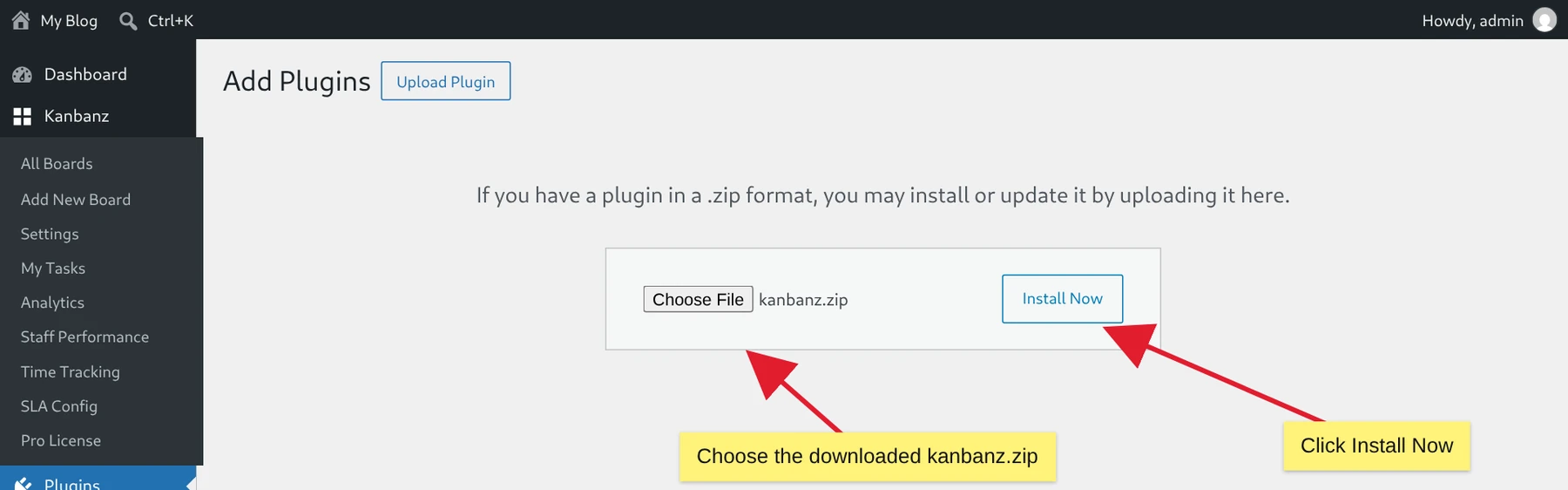
Upload kanbanz.zip and click Install Now. - When the installation finishes, click Activate Plugin.
With WP-CLI you can do the same in one line:
wp plugin install /path/to/kanbanz.zip --activateAfter activation
A new Kanbanz item appears in the WordPress admin menu. Administrators see All Boards, Add New Board and Settings.
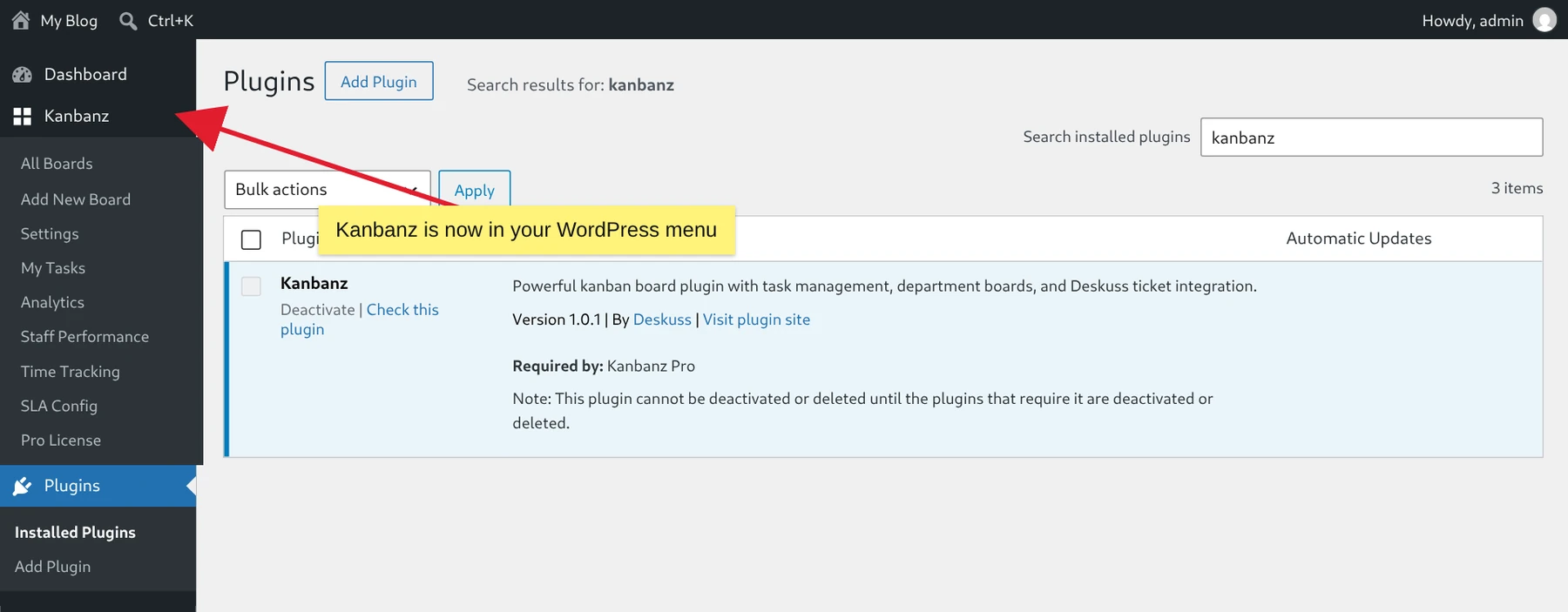
Next, create your first board. If you have a Pro license, continue with Installing Kanbanz Pro.
What happens when you activate
- Two private post types are registered:
kanbanz_boardandkanbanz_task. They do not appear on the front end, and no custom database tables are created. - The Kanban Manager and Kanban Staff roles are created, and the Kanbanz capabilities are also given to Administrators, Editors and, if present, Deskuss Staff. See Roles & Capabilities.
- Rewrite rules are flushed.
- If Deskuss is active, a first sync is scheduled 30 seconds later. See Deskuss Integration.
Updates and migrations
On every page load, Kanbanz compares the stored kanbanz_version option with the plugin version. If they differ, it re-applies role capabilities, flushes rewrite rules and saves the new version. Small data migrations run in the admin and record themselves in options so each runs only once. You never need to start a migration by hand.
Deactivating and uninstalling
Deactivation clears the scheduled kanbanz_sync_cron event and flushes rewrite rules. No data is deleted. Boards, tasks, comments and attachments stay in your database and come back when you reactivate.
Multisite: activate Kanbanz per site. Each site keeps its own boards and settings.